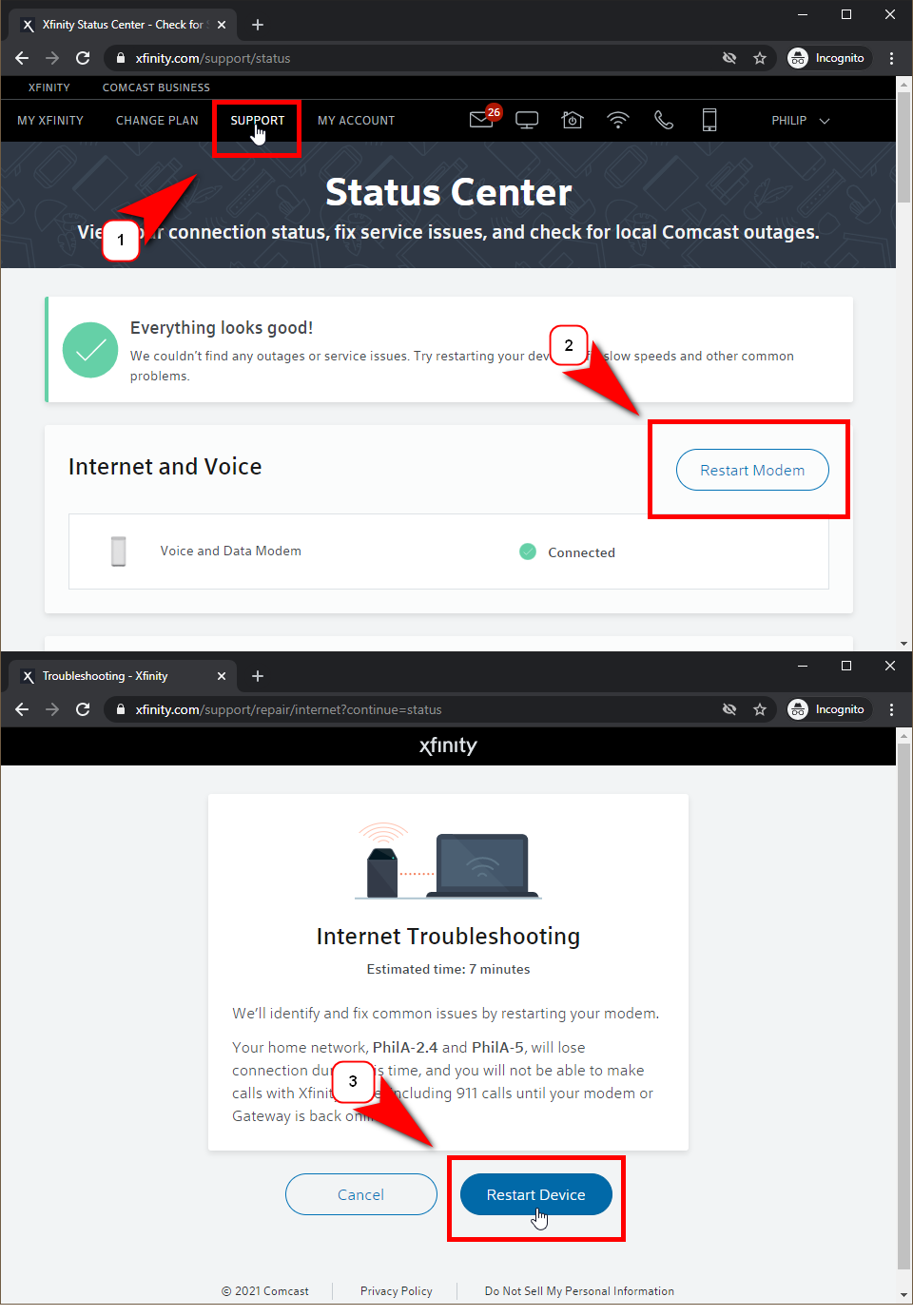
If you find that your internet service is down, you can take these steps first before you reach out for my technical service. In most cases, if internet access is not working in your home or office (all computers are not able to surf the internet) The modem may need to be restarted, or there is an outage in your area. Comcast allows you to manage restarting your gateway/modem and check for outages from its website.
1. Visit xfinity.com and log in with your Xfinity ID.
2. Click on “Support”
3. Check to see if your modem/gateway is online, if so scroll down and check for outages.
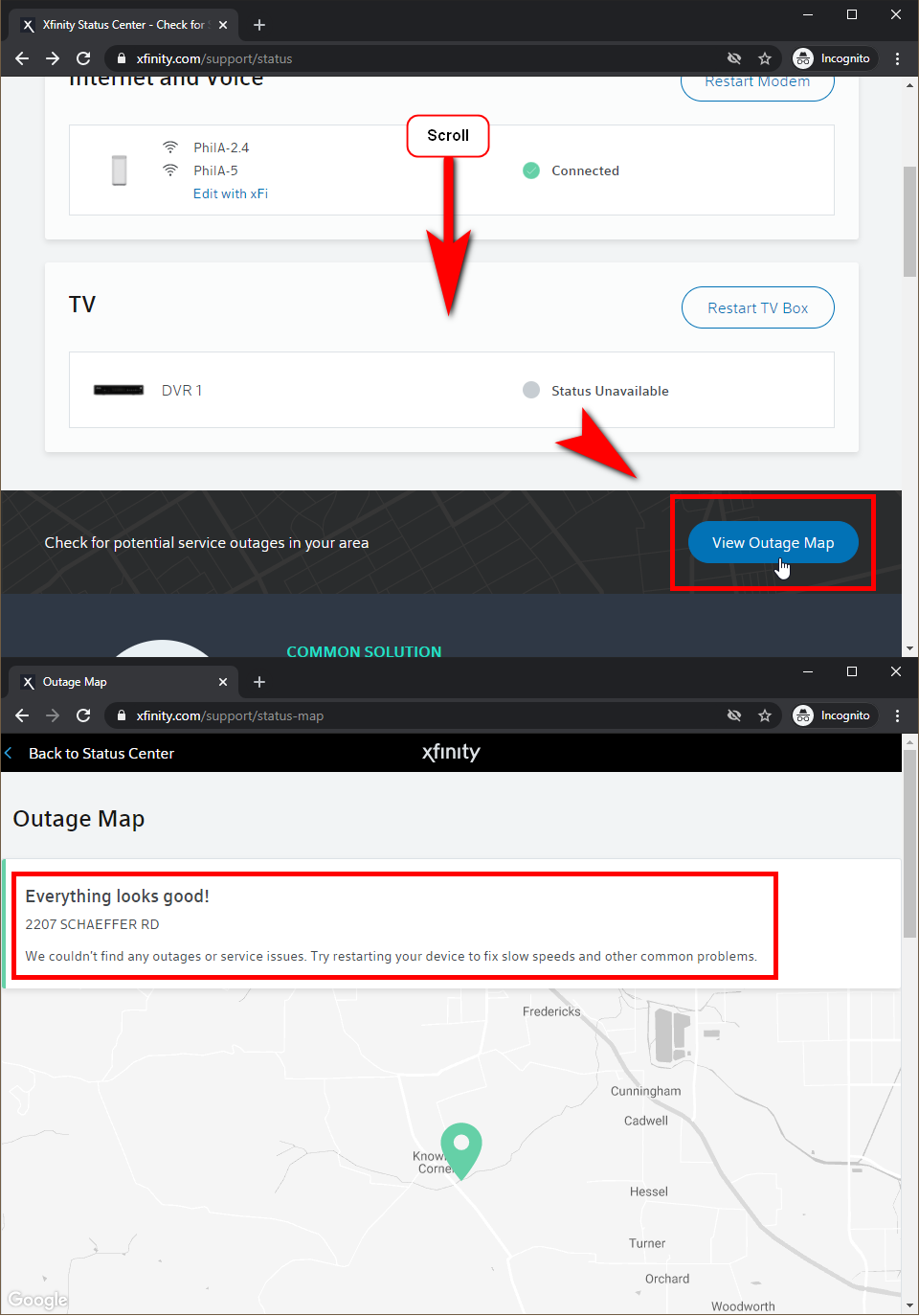
4. If there are no outages try restarting your modem/gateway. The process takes around 7-10 minutes.