Processing
Data from Zoho CRM is used to create Obsidian Markdown files. These data files get read into maps of content using dataviews. The MOC’s display information about my business contacts and relevant history connected to these contacts.
In order to do that, many of the field names and data types need to be changed.
For example:
- There were a lot of rows that were unnecessary and could be ignored
- Many field names needed to be simplified and streamlined to be reused across different data notes based on the particular kind of data
- Date formats need to be converted to Obsidian-friendly values
There are also products and service line items that get fed into various display page dataviews as line items, such as invoices and quotes. In this case, the data is mapped to JSON files.
There is a lot of cross-referencing between data types, like resolving invoices to the contact they are associated with. To do this, the script converts CSV record IDs into Obsidian-friendly YAML IDs, which then get used to generate the linking structure so that different data types can live on the display page dataviews.
Transformation
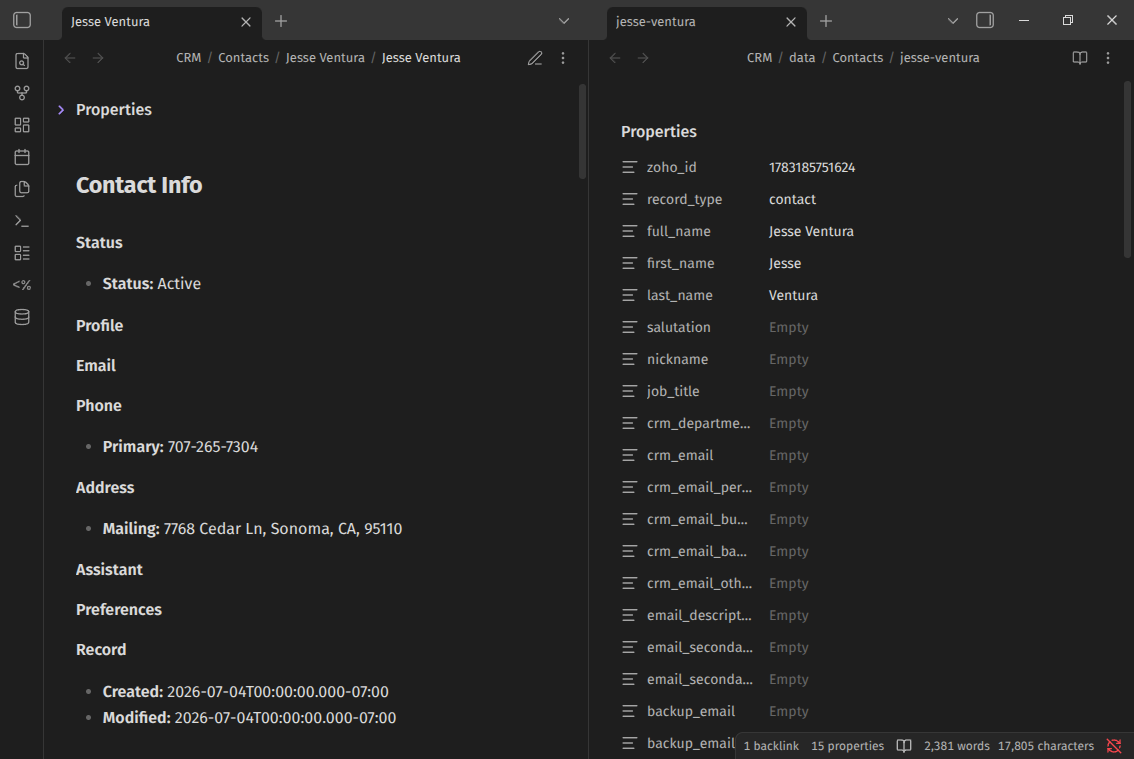
After the script processes the data, it then creates a data/display-page(MOC) pair. These file pairs are deposited into the corresponding display page folders along with the data pages.
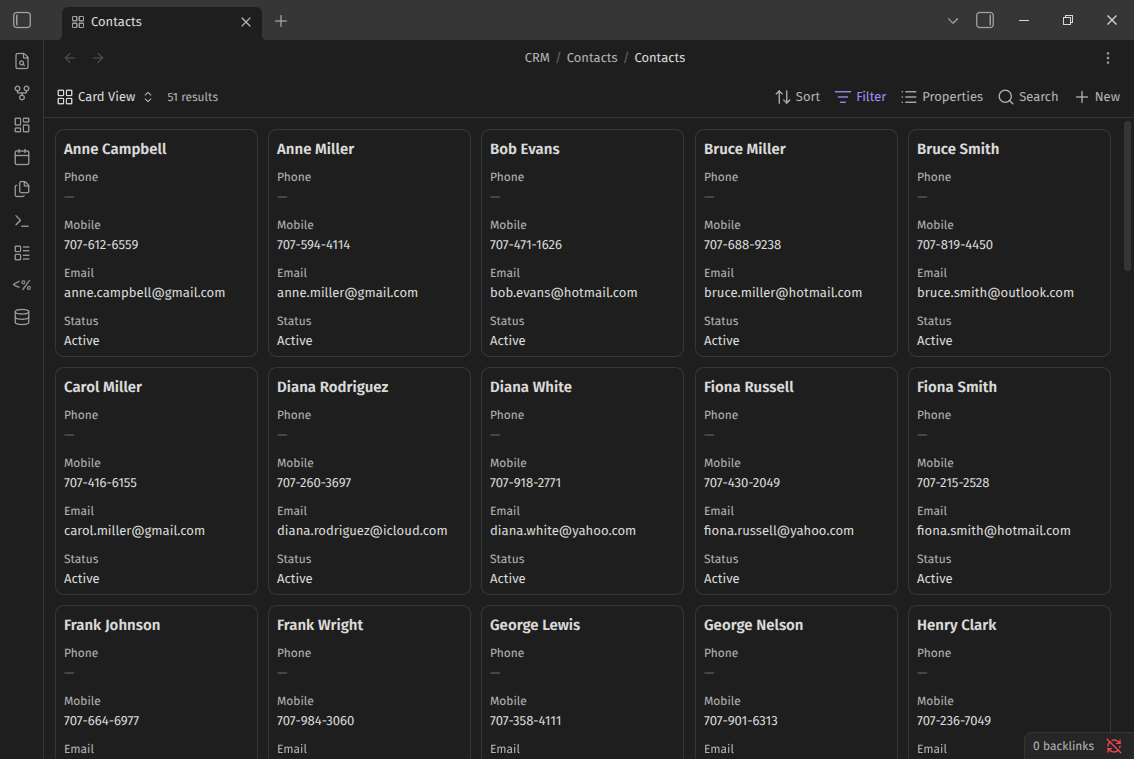
Then I use a bases file to show a list of contacts/accounts/leads. Or I can use the CRM sidebar (Custom Plugin) to navigate to a display page that renders dataviews of various content associated with that record.
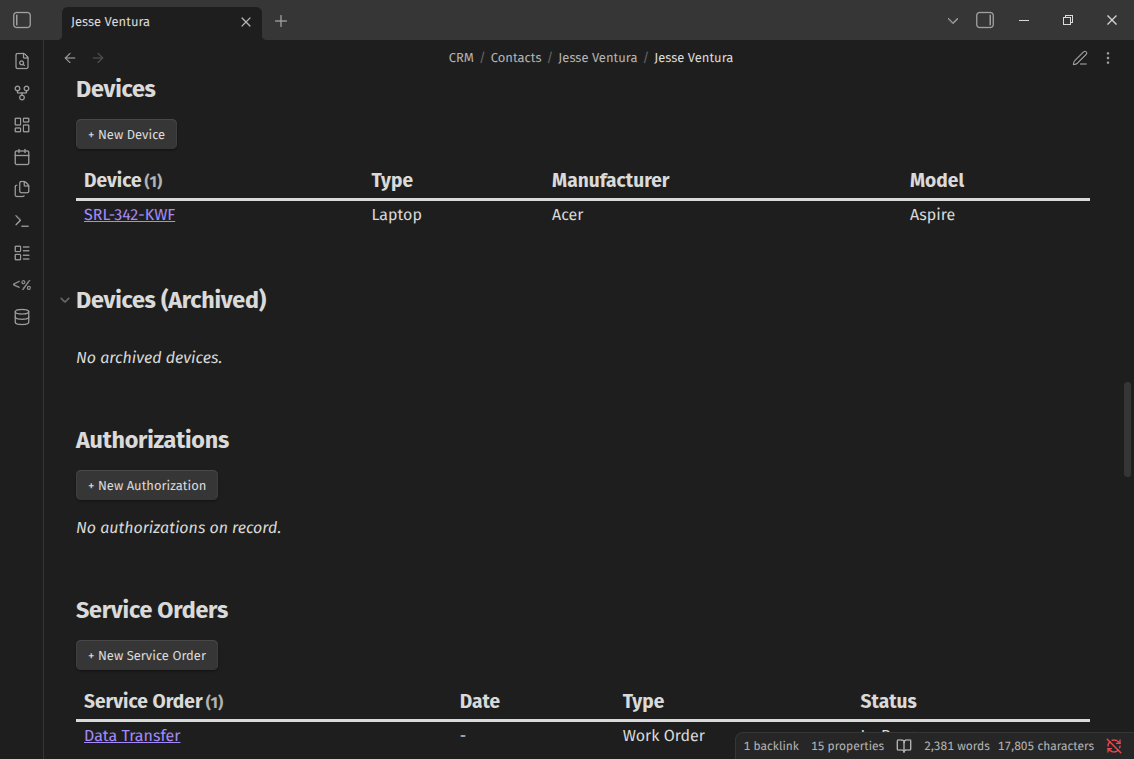
Except for data that gets created from JSON, most of the data types have a display page with dataviews, as there are usually records associated with that data type, where I can also add additional data with MetaBind buttons.
Storage
Vault Structure
- vault/CRM/
- Accounts/ - Business Accounts Display Pages
- Activities/ - Calls, Meetings, Tasks, and Appointments Display Pages
- Assets/ - Templater Scripts, Generated PDF Files
- Authorizations/ - Business Form Display Pages
- Cases/ - Ticket Tracking Display Pages
- Contacts/ - Business Contacts Display Pages
- data/ - data files containing YAML-structured data (Read in from Display Pages and subform dataviews)
- Deals/ - New Business Tracking Display Pages
- Devices/ - Laptop and Desktop Device Tracking Display Pages
- Invoices/ - Business Invoicing Display Pages
- Leads/ - Business Leads Display Pages
- Proposals/ - Business Proposals Display Pages
- Purchase Orders/ - Parts and Component Purchase Tracking Display Pages
- Quotes/ - Business Quote Display Pages
- Recommendations/ - Similar to Quotes, but with hardware comparisons, Display Pages
- Requests/ - Forms that I use to track customers’ request requirements Display Pages
- SCMS/ - Tracking for recurring services Display Pages
- Service Orders/ - Tracking for service requests Display Pages
- Servicings/ - Internal Tracking of in-shop services Display Pages
I’m Scott Larson. I’ve been a technology enthusiast since I was 10 years old, and today I repair computers and help people solve everyday tech challenges. I write about creative and technical projects along with occasional philosophical musings. If this article was of interest to you, sign up for my newsletter and receive notifications when new articles are published.
Looking for more content on tech, privacy and right-to-repair?