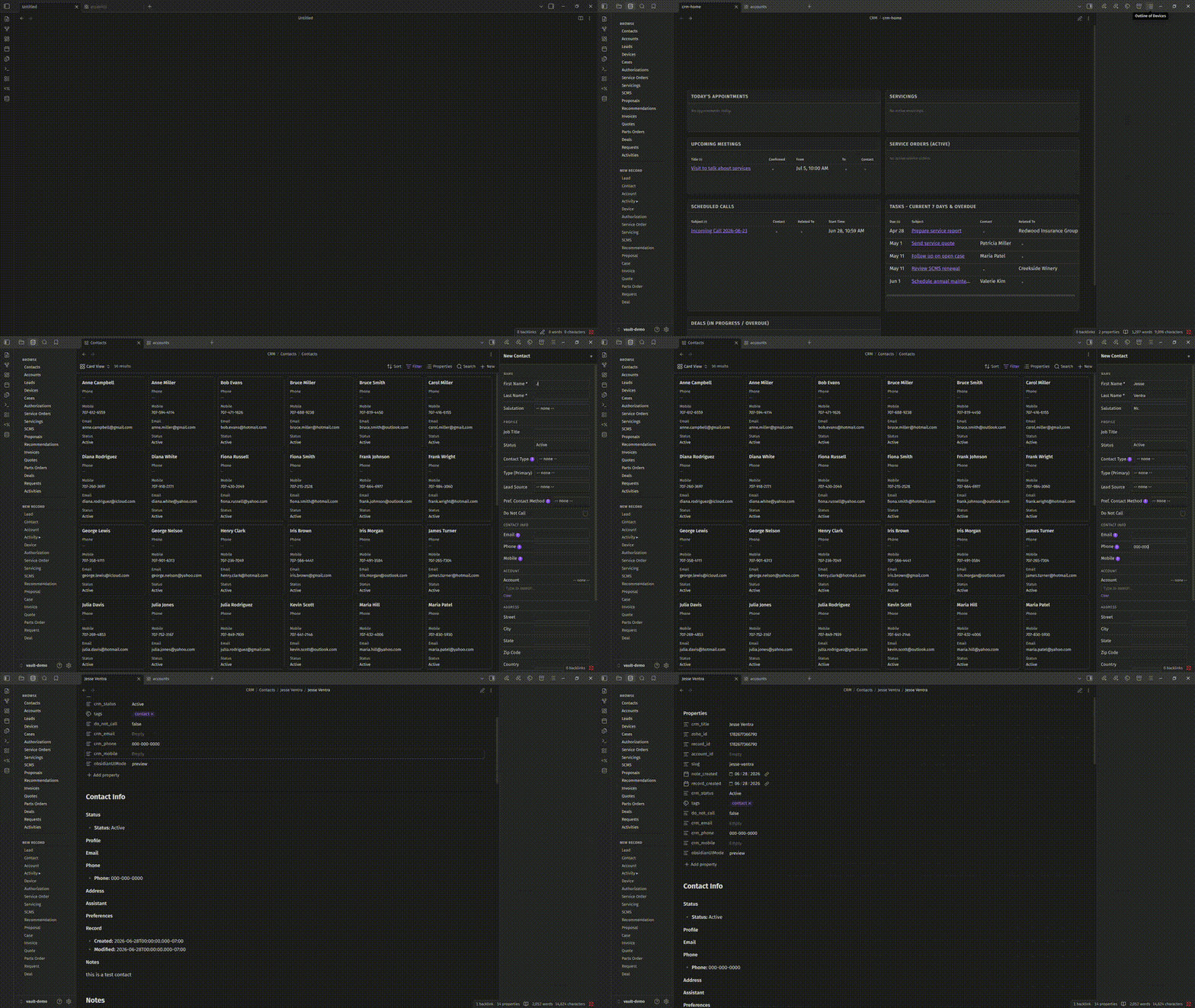
It all started near the end of 2025 when Trump’s authoritarian regime was in full swing.
Microsoft was silently dark patterning Windows user data into their OneDrive cloud solution, the AI grift that created the memory apocalypse sent computing prices through the roof, and corporations were operating without any checks and balances…
Wait… Isn’t that still happening? If there is any initiative to get behind right now, it’s going to be getting rid of Citizens United and putting pressure on your congressmen to enforce antitrust.
I have been using ZohoCRM to provide IT services since 2020. It’s been pretty good at not becoming enshitified, but I worry that something is coming down the pipe soon.
How long can Zoho last without some CEO mining its customer base to line his pockets? Other than a UI change and some minor dark patterns obfuscating 2-factor app options, as far as I know, it hasn’t happened, yet.
But I’m not waiting around for the sky to fall. I’m already well on my way to moving my customer database to something I can control. Obsidian is feature-rich and IMHO the perfect place for data to live as the files are stored directly on-disk. With the right at-rest encryption solution, customer data can be protected.
If you don’t know much about Obsidian. It’s a highly customizable and advanced note-taking app. It’s built in Electron. On the surface, it acts as a Markdown note-taking app, but you can extend it with plugins based on Node.js.
Much of the UI functionality I ported from Zoho lives in Node.js.
The CSV/YAML Mapping Dilemma
At first, I played with a CSV conversion plug-in to see what it would take to map CSV to YAML. It wasn’t too bad… But I was going to have to manually create custom mappings for over 37 CSV files containing customer contact-related info like: invoicing, service tracking, and prospecting.
I got turned on to Claude Code, and everything changed. Suddenly, I was able to create a migration script that performed all the custom features I needed for the CSV to YAML mapping. I finished the export script and migrated my entire CSV repository to YAML in a few days.
Making Display Pages in Obsidian
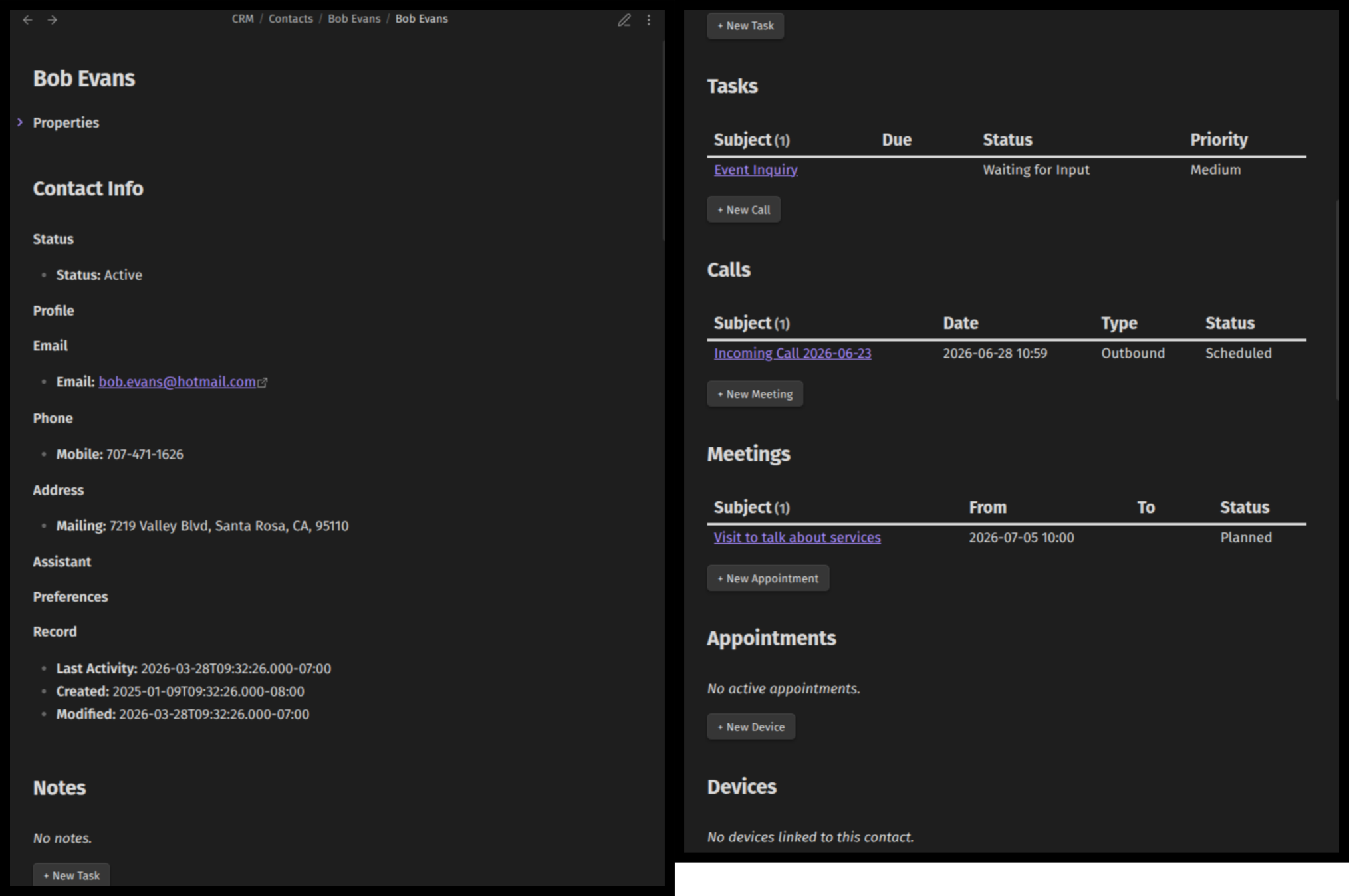
Then I moved on to creating markdown notes containing Dataviews to create display pages for each of the sections that make up my customer records. I decided on DataviewJS because of the relative paths functionality, as I knew I was going to have problems with notes being moved at some point. Once I got the display pages working the way I wanted them to, the next step was to move on to data capturing.
The Data Capturing Beast
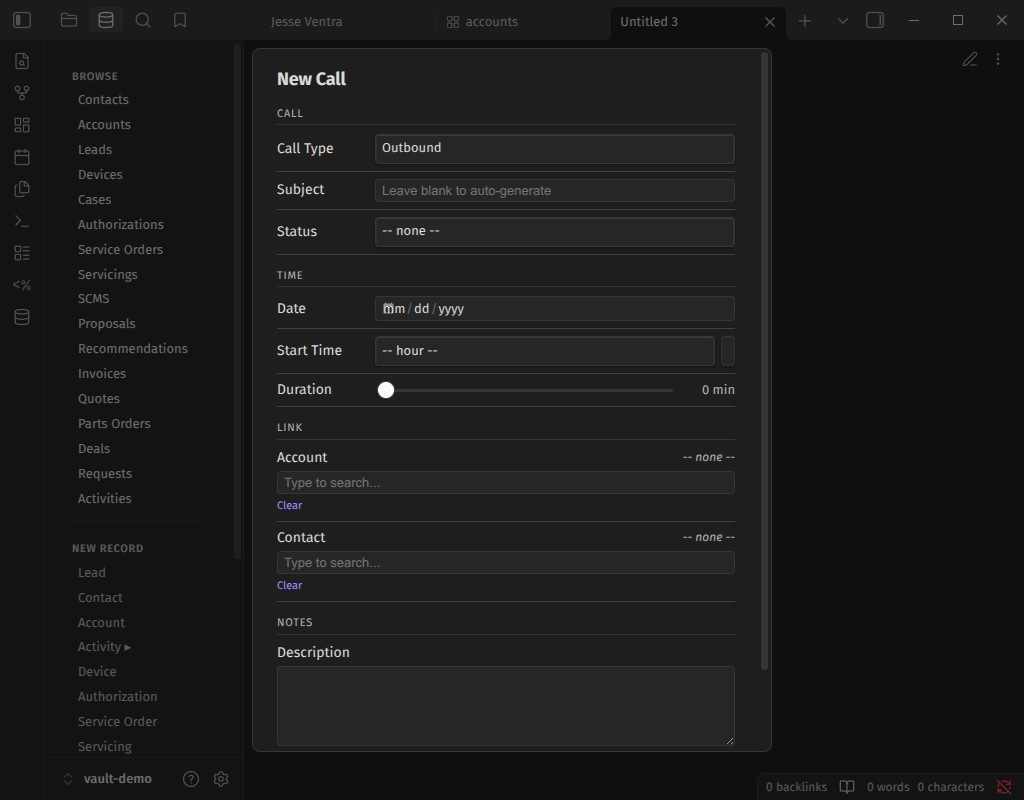
It’s great that I can import data from ZohoCRM into Obsidian, but without being able to create live data from scratch within Obsidian, the whole endeavor would be pointless.
The Obsidian plug-in Templater is great and all, but in order to input data, it uses looping on prompts to generate notes. With large forms that have complicated logic, Templater by itself is not an option.
So I did some research and found a companion plug-in called Modal Forms that generates static forms that you fill out. When you click save, it sends the data to a templater script, and it does the generation in the background. I got about halfway through generating my forms using Modal when I realized I could create my own self-contained scripts that would be more resilient to change.
It took a while to get that far, though the forms, like a week, and then I had to start over and have Claude build them from scratch.
Then I realized I didn’t have any sanity checking on the data, and I forgot that I was exporting large text-area field data into YAML.
That was going to be a problem, so I had to have Claude go back through all of the data, perform sanitization, and move the long-form data into the content of the note.
Moral of the story: plan ahead. I had a pretty good idea of what I wanted. Even with a visual map of what I wanted to accomplish, I missed important details that cost me time. Flow chart each component and ask questions for each part: What could go wrong here?
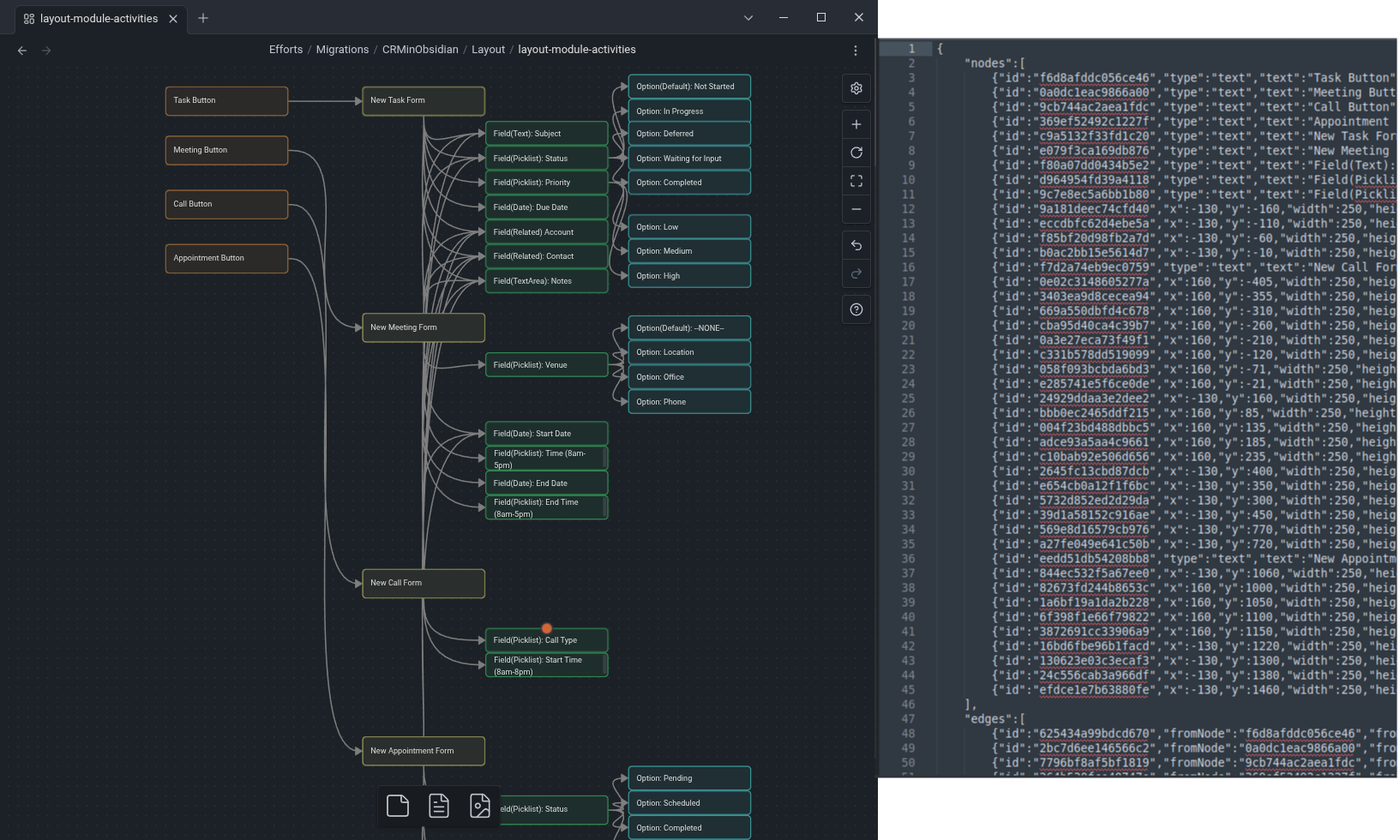
Obsidian Canvas is a great way to handle form logic and layout as it uses JSON on the back end. Claude uses JSON to understand which fields go where, in what order, and can handle conditional fields.
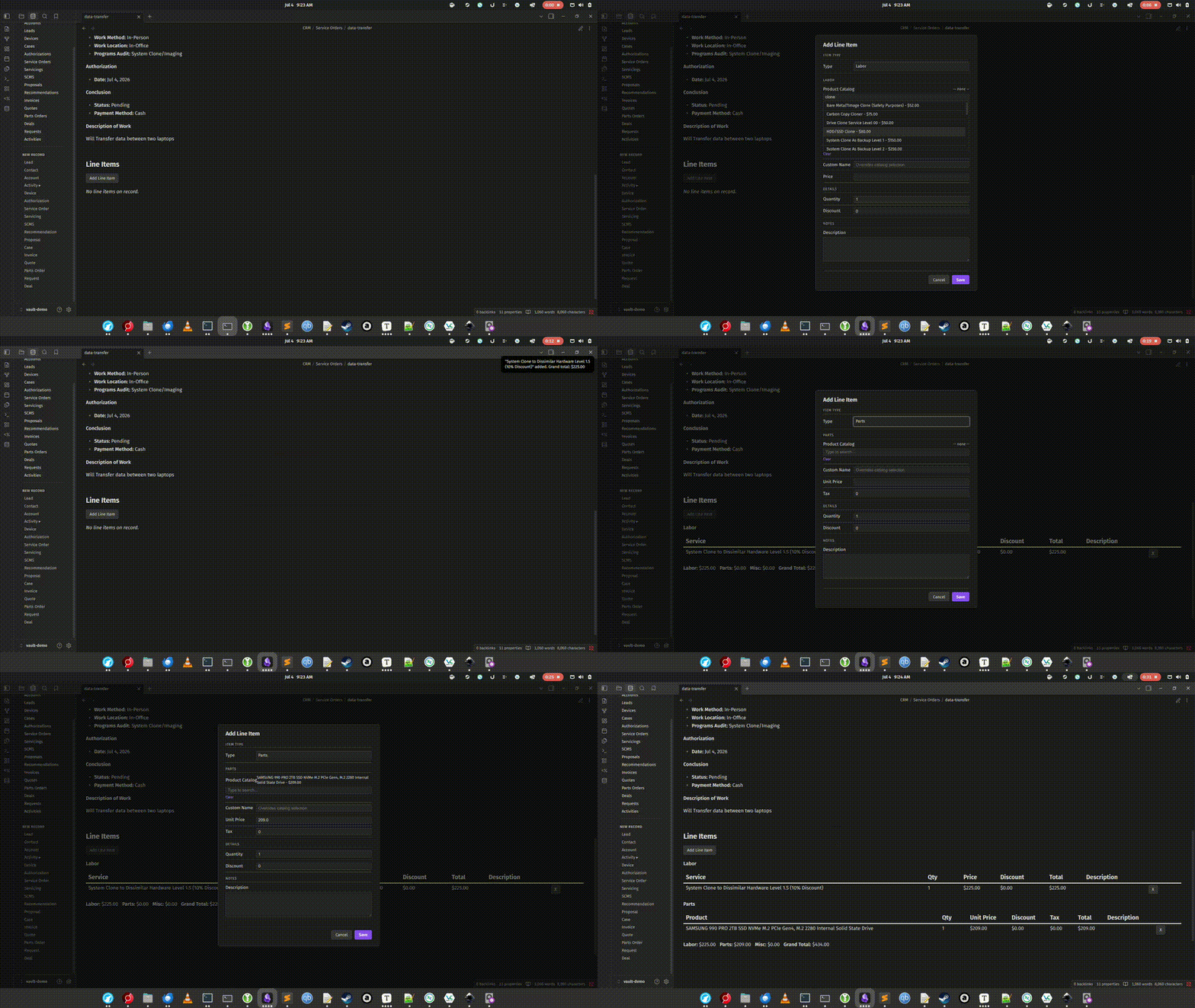
One-shot Invoice generating line items as part of the form input process can be complicated, so I chose a 2-step approach. After the form is saved and the display note is generated, I use a metabind button near the Subform to generate line items into the Dataview.
PDFing Forms
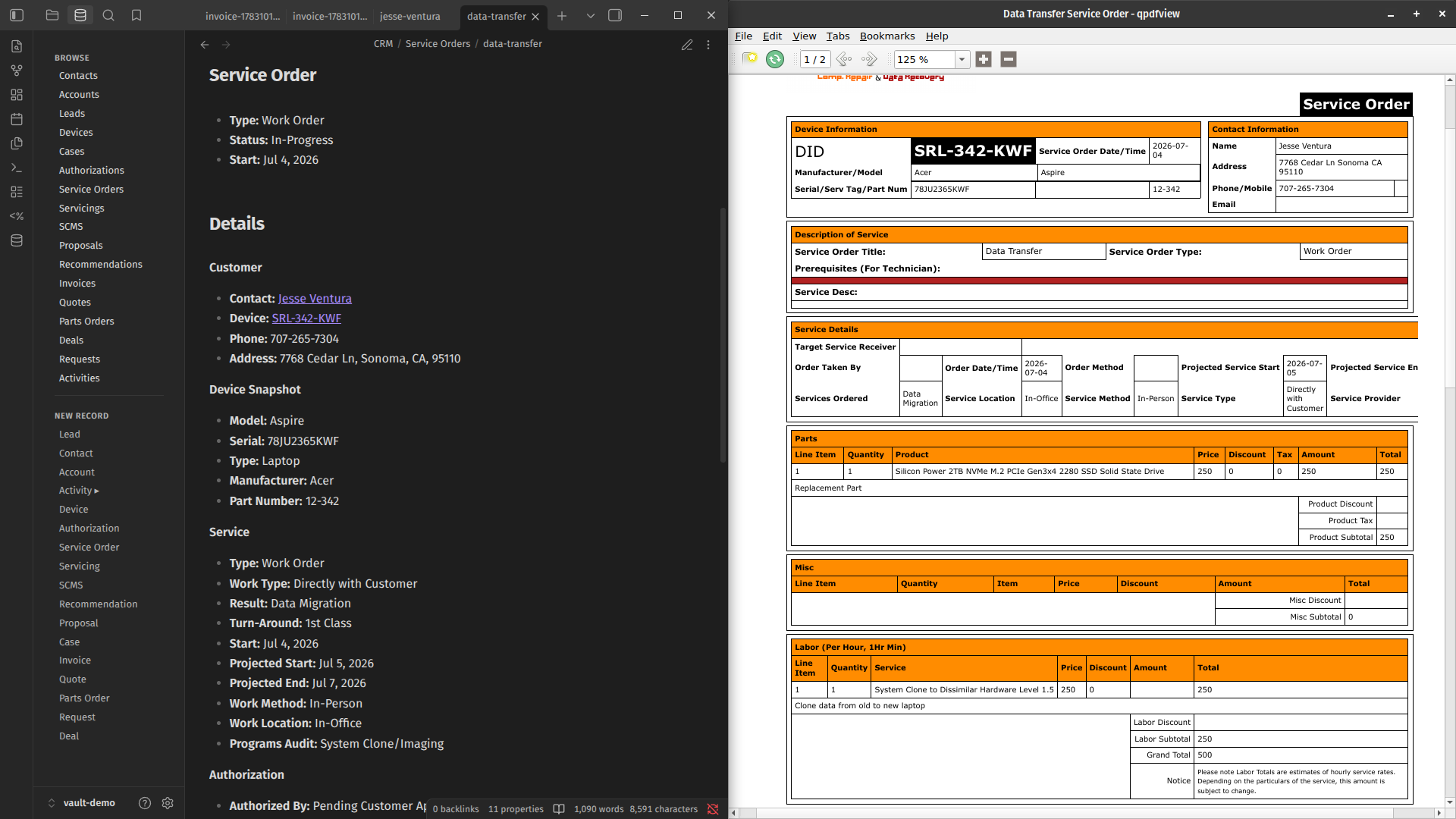
Then I moved on to form printing/email templates. Many of the forms I created for ZohoCRM are designed to be rendered to a printer or PDF.
This was the easy part, because I already had templates that were designed in HTML/CSS. The only part I really needed to replace was the Zoho merge fields with Jinja2/Nunjucks template variables so the Python script could generate the PDF’s from my Obsidian display notes. I use WeasyPrint to output the final format of the PDF.
Conclusion
The display pages for each of the data types are done, and I’m finding minor bugs that I am currently fixing. The form fields that I use for data gathering also need some polish.
After that, I have a few items on the backlog to be completed before I move into Staging. One of the things I want to work on is the ability to send automated emails to my customers based on fields selected in some forms.
I’m looking into some kind of CalDav integration for scheduling. I’m not sure if I am going to use the Obsidian reminder plugin for reminders or something else yet.
I’m really looking forward to putting this through its paces. I never had a full-fledged CRM solution on my drive. Eventually, I want to sync it to my other devices, but I am not sure about the method to use yet. My concerns are solid in-transit encryption, and the vault contains over 50,000 files, totaling 150mb so I am not quite sure how best to handle this yet.
One thing that concerns me is the dataview performance. It’s not too bad, but when I start the vault for the first time, it takes a few minutes to index everything off my NVME SSD, and the dataviews won’t render until that process is complete, and it takes some time after that to get proper rendering.
If you are interested in reading more about this project, check out the deep dives below.
You can also reach out to me using my contact page.
Further Deep Dives
- Data Pipelining
- Obsidian plug-in-based CRM button & form panels #InTheWorks
- 50,000 display pages Dataview rendering on-disk performance #Planned
- deep-dive-workflow-automation-in-obsidian #Planned
- Generating Display Pages(MOC’s), Form Fields, and picklists with static markdown/YAML modular templating #Planned
- CRM Data capturing in the field in Obsidian on Mobile #Exploring
I’m Scott Larson. I’ve been a technology enthusiast since I was 10 years old, and today I repair computers and help people solve everyday tech challenges. I write about creative and technical projects along with occasional philosophical musings. If this article was of interest to you, sign up for my newsletter and receive notifications when new articles are published.
Looking for more content on tech, privacy and right-to-repair?